
Invite-only beta for Android and iPhone
Your Paraguayan invoices, ready for your accountant
Take a photo or share the PDF of a factura, Paraguay's tax invoice. Rucibo reads it, files it under the right RUC and prepares what your accountant needs every month, including the RG 90 import file.
Join the beta waitlist I'm an accountant
- App Store coming soon
- Google Play coming soon
Invite-only beta: TestFlight on iPhone and Google Play internal testing on Android.
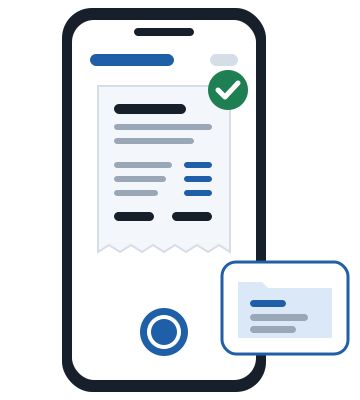
Three steps: photo, review, accountant
- Take a photo or share the file. Tap the button for the right RUC (your Paraguayan taxpayer number) and take the photo. You can also import a PDF or share the invoice straight from WhatsApp or email.
- Rucibo reads the invoice. It picks up the date, the supplier's RUC, the timbrado (the printing authorization number), the invoice number and the amounts at 10% IVA, 5% IVA and exempt. For electronic invoices, it reads the QR code on the KuDE. You decide whether to check the data before saving or let everything run in the background.
- Your accountant gets the month in order. By link, email, WhatsApp or a shared Google Drive folder. Your choice.
See the full step-by-step guide
Everything your accountant needs, every month
For each RUC and each month, Rucibo prepares a package with:
- The RG 90 file for your paper invoices, in the import format of the DNIT (Paraguay's tax authority) for registering purchases in Marangatu, its online tax system: a TXT inside a ZIP, named the way the specification requires.
- An Excel spreadsheet with every document in detail, totals by IVA rate and a sheet listing what needs a second look.
- The list of electronic invoices to allocate (imputar) under "Compras a Imputar" in Marangatu, with a suggested allocation. Electronic invoices do not go in the RG 90 file because they already show up in Marangatu.
- Renamed images and PDFs with the date, supplier RUC, invoice number and total, so any receipt is easy to find.
- A Google Drive folder shared with your accountant, if you want one.
Your accountant does not need to install anything or create an account.
It reads the invoice for you
- Electronic invoices: the QR code on the KuDE carries the CDC, the issuer's RUC, the date, the total and the IVA. Rucibo reads it as is, with no typing.
- Paper invoices and tickets: it extracts the RUC and its check digit, the timbrado, the invoice number (for example, 001-001-0000123), the date and the amounts at 10%, at 5% and exempt.
- It checks what matters: that the RUC check digit is right, that the date falls within the timbrado's validity and that the amounts and IVA add up.
- The invoice sets the month: each document goes to the month of its issue date, not the day you added it.
It warns you before your accountant rejects it
- "This ticket gives no IVA credit." Cash register tickets and boletas never give IVA credit (input VAT), though they can count for IRP (personal income tax) if they identify you.
- "Not issued to your RUC." The invoice was issued without a name or to another RUC. If it is an electronic invoice issued without a name, we tell you what to ask the store for.
- "Possible duplicate." It looks like you already added this invoice.
- "Invoice in US dollars." It keeps its original currency and is flagged for review.
A tip: take the photo on the day of the purchase, because the thermal paper used for tickets fades over time.
All your RUCs in one app
You, your company, your spouse or your parents: each RUC gets its own button and its own monthly package. Invoices in your dependents' names, such as your children, are kept apart, because they only count for IRP. When you share an invoice from WhatsApp, Rucibo looks for the RUC it was issued to and files it there; if it cannot tell, the invoice goes to your main RUC and you can move it with a tap.
Fast, even with no signal
Open the app, tap the button, take the photo. Capture never waits for the internet: with no signal, the invoice is saved on your phone and uploads by itself when you are back online.
Made for expats in Paraguay
The whole app is in English, and local terms (RUC, timbrado, KuDE, IVA, Marangatu) stay as they appear on your documents, so you can talk to the store or your accountant without guessing. It works with any accountant in Paraguay, including firms that serve English-speaking clients, and the monthly package uses files they already know. You keep your receipts organized month by month instead of handing over a shoebox at the end of the year.
Are you an accountant?
Get your clients' invoices sorted by month, with no new portal and no change to how you work. If you want to try Rucibo with your clients, email us.
Your data, protected
- Your data is encrypted in transit and at rest, and stored on Amazon Web Services in São Paulo, Brazil.
- To read each invoice, we send its image or text to OpenAI (United States), which does not use it to train models and keeps it for at most 30 days, only for abuse monitoring.
- We never sell your data or use it for advertising.
- You can delete your account and your data at any time.
In English, Spanish and Portuguese
The app follows your phone's language, and you can switch with one tap. This site is also in Español and Português.
Frequently asked questions
Does my accountant need to use Rucibo?
No. They receive files they already know (Excel, the RG 90 file and images) by link, email, WhatsApp or Google Drive. They do not need the app or an account.
Does Rucibo give tax advice or file my taxes?
No. Rucibo organizes your documents and prepares the files for your accountant. It does not file returns or give tax advice: what to declare is up to you and your accountant.
Does it work offline?
Yes, for the essentials: taking photos, importing, and viewing and editing your invoices. Reading the data and sending the package to your accountant need a connection, and they happen by themselves once you are back online.
Do electronic invoices go in the RG 90 file?
No. Electronic and virtual invoices already show up in Marangatu under "Compras a Imputar". Rucibo gives you a separate list so they can be allocated there.
Do I have to keep the paper invoice?
Yes. A photo does not replace the original. Keep every paper invoice until 31 December of the invoice's year plus 6 years: an invoice from 2026 must be kept until 31 December 2032.
See all frequently asked questions
Join the beta
Rucibo is in development. The beta opens by invitation and in stages, on iPhone through TestFlight and on Android through Google Play internal testing. The features on this page arrive in this order:
- Adding your RUCs, taking the photo and having Rucibo read the invoice.
- Reviewing before saving or letting it run on its own, importing PDFs and sharing from WhatsApp or email.
- The month-by-month history, with the detail of each invoice.
- The package for your accountant: the RG 90 file, the spreadsheet, the renamed images and delivery by link, email or Google Drive.
Later on: multi-page invoices as photos (until then, one photo per invoice or the full PDF). We would also like to add health and education receipts paid abroad for IRP.
Email us and we will tell you when there is a spot. Your feedback decides what we improve first.